
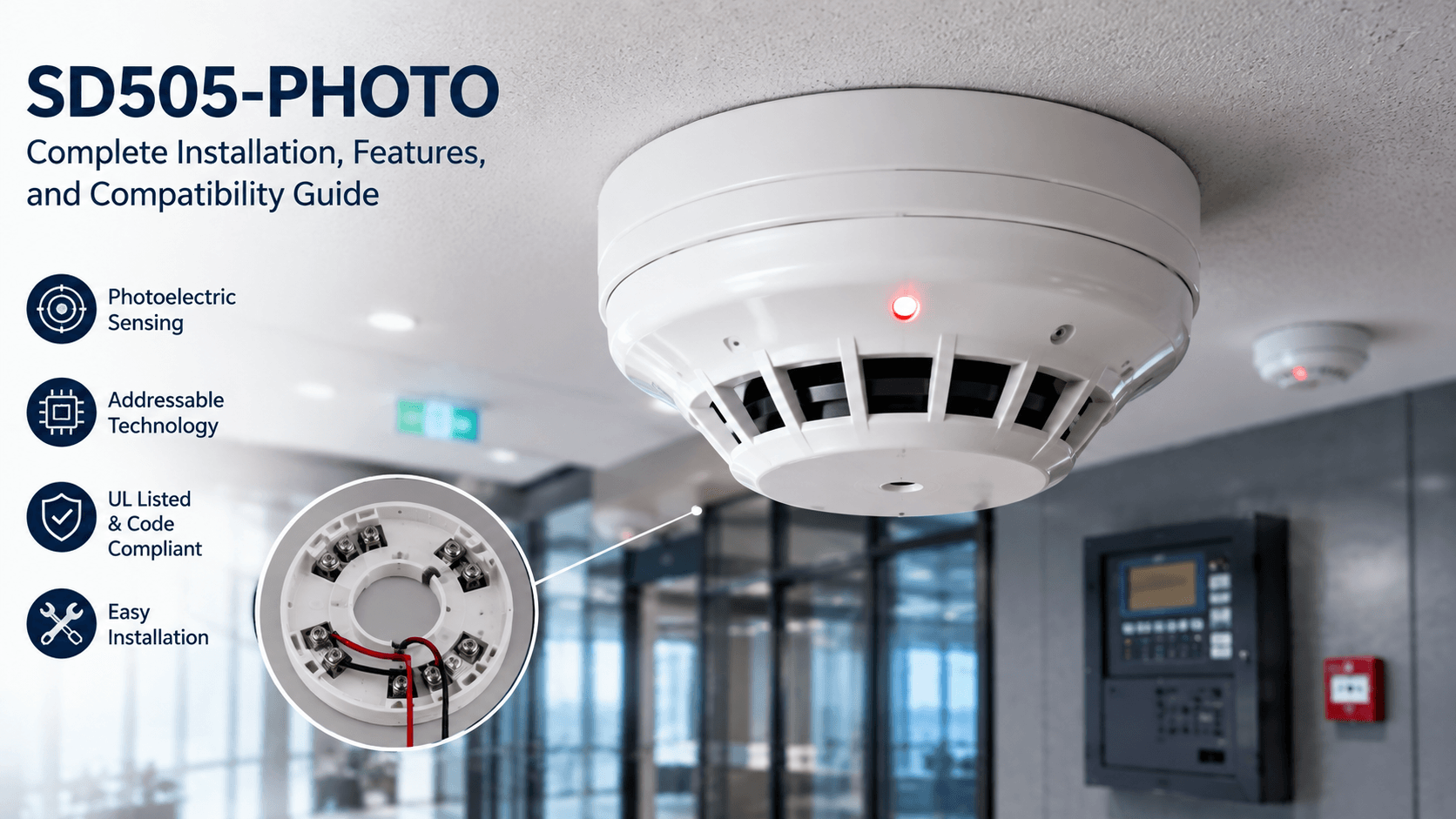
Few addressable smoke detectors show up as consistently on commercial fire alarm submittals as the SD505-PHOTO, and for good reason. Contractors and inspectors trust it because it performs predictably, integrates cleanly with intelligent panels, and holds up in demanding commercial environments. At QuickShipFire, we stock this detector brand new in original manufacturer packaging, ready to ship fast so your project doesn’t stall waiting on parts.
This guide covers everything you need to know before specifying or installing this detector, from its core features to compatibility considerations and step-by-step installation guidance.
What Is the SD505-PHOTO?
The SD505-PHOTO is an addressable photoelectric smoke detector designed to detect dense, smoldering smoke produced by materials such as soft furnishings, plastics, and foam, the kind of slow-burning fires that generate large, visible smoke particles before flames fully develop. Photoelectric sensing technology makes it particularly effective at catching these smoldering fire signatures earlier than ionization-based alternatives.
As an addressable device, this detector communicates its exact location and status directly to the fire alarm control panel, rather than simply reporting alarm or normal conditions like a conventional detector. This addressability is central to why it remains a preferred choice on commercial and institutional projects where precise fault and alarm location matters.
Key Features of the SD505-PHOTO
Photoelectric Sensing Chamber
The detector’s sensing chamber is engineered to respond reliably to smoke particles while resisting common sources of nuisance alarms, such as dust or steam, that can trigger false activations in poorly designed detectors. This balance between sensitivity and stability is a major reason installers reorder this product on project after project.
Addressable Communication
Each unit is assigned a unique address on the fire alarm system’s signaling line circuit, allowing the control panel to identify exactly which device triggered an alarm or trouble condition. This dramatically speeds up troubleshooting during commissioning and reduces the time technicians spend physically tracing devices during service calls.
UL Listing and Code Compliance
The SD505-PHOTO carries UL listing that supports compliance with NFPA requirements for commercial fire alarm systems across the United States. Meeting these listing and compatibility standards is essential for passing inspection without delays or required substitutions late in a project.
Installation Guide for the SD505-PHOTO
Step 1: Confirm Panel Compatibility
Before installation, confirm that your fire alarm control panel supports this detector’s communication protocol and addressing scheme. Installing an incompatible device is one of the most common and costly mistakes on a job site, often discovered only during system commissioning.
Step 2: Mount the Detector Base
Install the compatible detector base at the specified ceiling height and spacing per your fire alarm system design and applicable NFPA 72 spacing requirements. Proper base wiring and torque on terminal connections prevent intermittent faults that can be difficult to diagnose later.
Step 3: Program the Device Address
Set the unique address for each device using the panel’s programming software or the onboard addressing mechanism, depending on your specific system architecture. Accurate address mapping ensures the panel correctly identifies device location during both testing and real alarm events.
Step 4: Test and Commission
Once installed and addressed, test each SD505-PHOTO using approved smoke testing methods to confirm proper detection response and correct panel reporting. Document test results as part of your commissioning package, since most jurisdictions require this documentation for final inspection sign-off.
Compatibility with Fire Alarm Systems
This detector is designed to integrate with intelligent, addressable fire alarm control panels that support its specific communication protocol. Confirming compatibility during the design phase, rather than after equipment has already been ordered, prevents costly last-minute substitutions that can delay a project’s inspection timeline.
Many commercial systems also pair this detector with complementary devices to build a complete detection and response network. For instance, an Individually Addressable Manual Fire Alarm station allows occupants to manually trigger the system, giving operators exact location data alongside automatic detection from smoke detectors like this one.
Facilities that operate multiple buildings often standardise on the same detector model across sites, since familiarity reduces training time for maintenance staff and keeps spare parts inventory simpler to manage. This is one more reason an Individually Addressable Manual Fire Alarm station and a proven photoelectric detector are so often specified together on multi-site commercial programs.
Integrating with Relay-Controlled Functions
Beyond basic detection, many commercial installations use this detector alongside relay modules to trigger automated responses such as HVAC shutdown, door release, or elevator recall upon alarm activation. Understanding how a fire relay functions within your system helps ensure these automated safety responses are wired and programmed correctly from the start.
A fire relay essentially acts as an electric switch, taking a signal from the control panel and using it to power or interrupt another circuit entirely, closing dampers, releasing magnetic door holders, or shutting down air handling units the moment smoke is detected. Pairing the right fire relay with your detection devices is what turns a simple alarm into a coordinated building-wide safety response.
For Silent Knight-based systems specifically, the SK relay module is commonly paired with addressable detectors like this one to enable discrete contact switching controlled directly by the fire alarm control panel. The SK relay provides two isolated sets of contacts, giving system designers flexibility to automate more than one safety function from a single addressable module.
Choosing genuine SK relay hardware, rather than substituting an incompatible alternative, ensures your Silent Knight panel can properly poll and control the module during both normal operation and alarm conditions.
Common Installation Mistakes to Avoid
A frequent error is failing to verify base compatibility before ordering, different detector families sometimes require specific base models that aren’t interchangeable across manufacturers. Another common mistake is skipping proper spacing calculations, leading to coverage gaps that fail inspection and require costly rework after ceilings are already finished.
Technicians should also avoid rushing the addressing and programming step. Misassigned addresses can cause confusing alarm reports during commissioning, and tracking down a mislabelled device after installation is far more time-consuming than verifying addresses carefully the first time around.
Why Fire Professionals Trust the SD505-PHOTO
Reliability under real-world conditions is what keeps this detector on approved vendor lists across commercial fire protection programs. Dust, temperature swings, and heavy operating hours all put stress on detection equipment, and the SD505-PHOTO consistently holds up where lower-quality alternatives require frequent cleaning, resetting, or early replacement.
This consistency matters enormously to facility managers and safety officers responsible for keeping systems inspection-ready year-round, not just on the day of installation. A detector that performs the same way every time reduces both nuisance alarm callbacks and the administrative burden of chasing down recurring issues.
Planning a Multi-Device Commercial Installation
Larger commercial projects rarely involve a single detector type in isolation. Most systems combine photoelectric smoke detection with manual activation points, relay-controlled response devices, and duct-mounted detection where applicable, all coordinated through the fire alarm control panel’s programming logic. Planning this device mix early, rather than adding components piecemeal, helps avoid compatibility surprises and keeps your commissioning schedule on track.
Working with a supplier who stocks the full range of compatible components, detectors, bases, manual stations, and relay modules, means fewer vendors to coordinate and fewer chances for a mismatched part to delay your project’s final inspection.
Storage, Handling, and Pre-Installation Care
Before installation, detectors should be stored in their original packaging, away from moisture, dust, and temperature extremes, until they’re ready to be mounted. Exposing sensing chambers to construction dust prior to final installation is a common but avoidable cause of early nuisance alarms once a system goes live, since dust settled inside the chamber during storage can trigger false activations shortly after commissioning.
It’s also worth confirming firmware or hardware revision compatibility if you’re adding new detectors to an existing system that was installed several years earlier. Panel manufacturers occasionally update addressing protocols or communication standards, and verifying revision compatibility before ordering prevents mismatched devices from causing communication errors on the loop.
Working with an Experienced Fire Equipment Supplier
Sourcing genuine, correctly specified equipment matters just as much as correct installation. Grey-market or unauthorised replica devices can fail to meet UL listing requirements even when they appear visually identical to genuine parts, creating both safety risk and potential liability for the installing contractor. Working with a supplier who carries only new equipment in original manufacturer packaging protects your project from these risks entirely.
An experienced supplier can also help you navigate hard-to-find parts for systems that are being upgraded rather than fully replaced, sourcing compatible components even when a specific model has been discontinued by the original manufacturer. This kind of support becomes especially valuable on retrofit projects where matching existing system architecture is essential to avoiding a full system replacement.
Order Your SD505-PHOTO from QuickShipFire
We carry the SD505-PHOTO brand new, in original manufacturer packaging, with fast U.S. shipping so your project timeline stays on track. Whether you need a single replacement unit or a full project quantity, our team can help confirm compatibility with your existing system before you order. Request a quote today and we’ll get back to you quickly with pricing and availability.
If you have questions about panel compatibility, base requirements, or relay integration for your specific project, our customer support team is ready to help you get the configuration right the first time.
Conclusion
The SD505-PHOTO has earned its place on commercial fire alarm submittals through consistent, reliable performance rather than flashy specifications. From its photoelectric sensing chamber to its addressable communication with the fire alarm control panel, every feature is built around helping contractors pass inspection smoothly and helping building occupants stay safer. Getting the installation right, confirming panel compatibility, mounting correctly, and addressing devices carefully, sets your system up for years of dependable service. Whether you’re specifying new equipment or replacing an existing unit, choosing a detector with a proven track record is one less variable to worry about on your next project.
Frequently Asked Questions (FAQs)
1. What type of fires does the SD505-PHOTO detect best? It uses photoelectric sensing, making it especially effective at detecting dense, smoldering smoke from materials like foam, plastic, and soft furnishings.
2. Is this detector compatible with all fire alarm panels? No, compatibility depends on the panel’s communication protocol, always confirm compatibility with your specific fire alarm control panel before ordering.
3. Can this detector be paired with a manual pull station? Yes, it is often installed alongside an Individually Addressable Manual Fire Alarm station to provide both automatic and manual activation options.
4. Does it work with relay modules for HVAC shutdown? Yes, it can be integrated with a fire relay, including SK relay options on Silent Knight systems, to trigger automated safety responses.
5. How is this detector different from a conventional smoke detector? As an addressable device, it reports its exact location and status to the panel, unlike conventional detectors that only report basic alarm conditions.
6. What causes false alarms with photoelectric smoke detectors? Dust accumulation, steam, and improper placement near HVAC vents are common causes of nuisance alarms in photoelectric detectors like this one.
7. Is it UL listed for commercial use? Yes, it carries UL listing supporting NFPA compliance for commercial fire alarm system installations across the United States.