
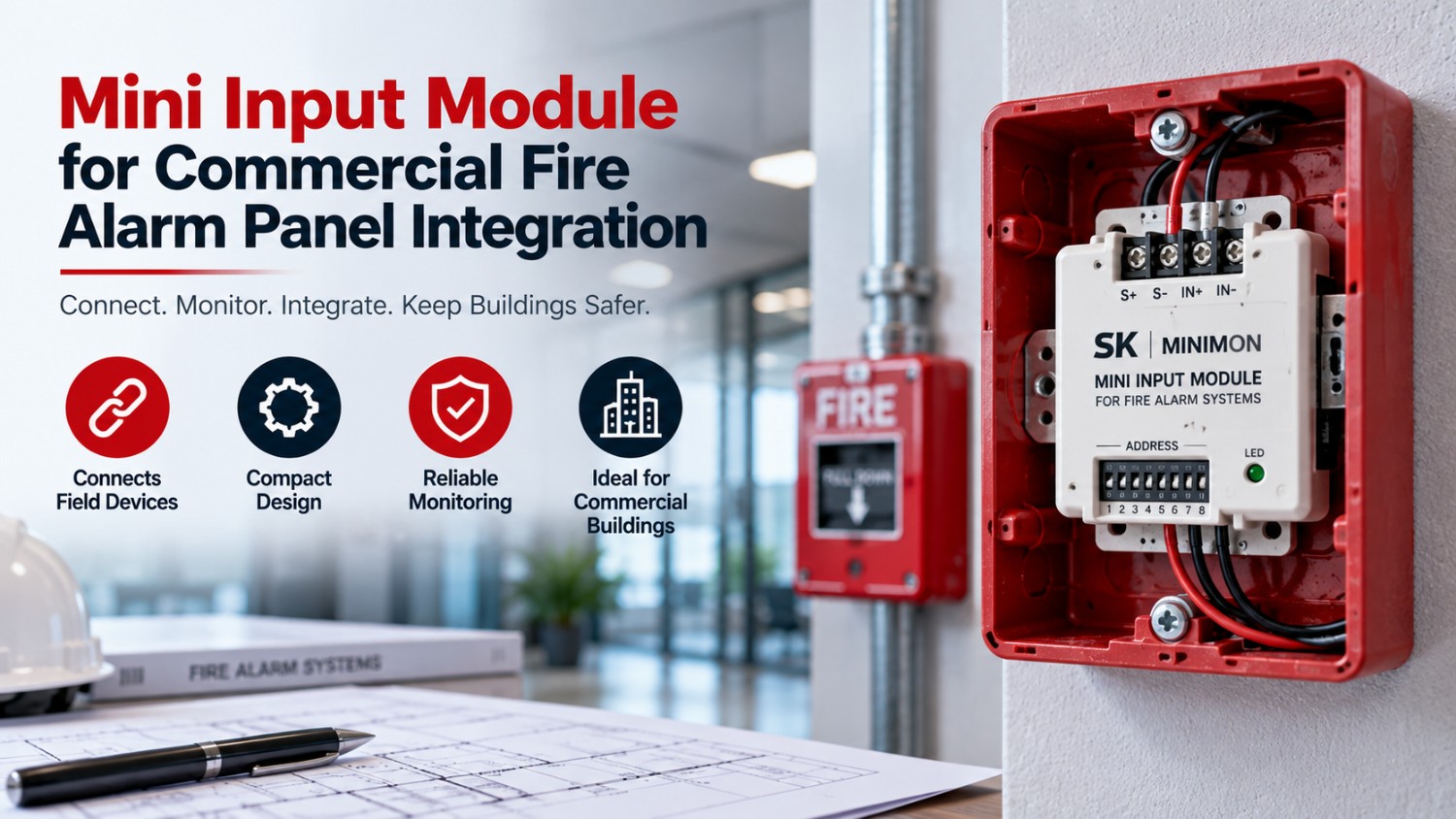
A mini input module is a compact addressable device that connects a single contact-type field device, such as a pull station or waterflow switch, to a fire alarm panel so the panel can identify and supervise it. This guide explains how the module works, where it is used, how to check compatibility and what to consider for panel integration and replacement in commercial buildings.
What Is a Mini Input Module?
It is a small monitoring device installed near a field device. It reads the open or closed state of a dry contact and reports that state to the control panel over the addressable loop. Manufacturers use different names, including mini monitor module, but the function is broadly the same: give a simple device an address and a supervised connection to the fire alarm system.
Because the module is small, it can often fit in a single-gang electrical box, sometimes directly behind the monitored device. That makes it practical for retrofits, where space and wall access are limited. Retrofit projects often keep existing pull stations, flow switches and other contact devices in place, and adding an addressable interface lets those devices join a modern loop without opening walls to run new zone cables. The result is a cleaner upgrade path with less disruption to tenants and operations, provided the addresses and labels are documented properly.
How a Fire Alarm Input Module Works
A fire alarm input module sits between a conventional initiating device and the addressable loop. The device’s contact opens or closes, the module detects the change and sends a message with its unique address to the panel. The panel then displays the event and activates programmed outputs.
Most modules supervise the wiring to the device, often with an end-of-line resistor, so an open circuit is reported as a trouble condition instead of going unnoticed. This supervision is a core reason modules are used in life-safety systems instead of simple relays.
Mini Monitor Module for Fire Alarm Systems
A mini monitor module for fire alarm systems is the same type of device under a different label. One example is the SK-Minimon for Silent Knight systems. According to its listing, it supervises a single dry-contact input on a Class B circuit, communicates over the addressable loop, uses DIP switch addressing and fits inside a single-gang box. The listing names pull stations, waterflow switches and supervisory devices as typical applications.
Use a mini monitor module for fire alarm systems only with platforms named as compatible by the manufacturer. Modules are designed for specific protocols and are not universal.
Addressable Mini Input Module vs Conventional Wiring
An addressable mini input module gives each monitored device its own identity. In a conventional arrangement, several devices share a zone, so the panel can only indicate a general area. With an addressable mini input module, the panel can report exactly which contact changed state, which speeds up response and troubleshooting.
| Factor | Addressable mini input module | Conventional zone wiring |
| Identification | Unique address per device | Zone-level indication only |
| Wiring approach | Connects to the signalling loop | Dedicated circuits per zone |
| Retrofit potential | Allows older contact devices to join an addressable system | Limited to the panel’s zone capacity |
| Best suited for | Systems needing precise event location | Small or simple installations |
Commercial Mini Input Module Applications
A commercial mini input module can monitor many kinds of contact-based equipment across a building. Our guide to top fire alarm components for commercial buildings shows how modules fit alongside detectors, notification devices and panels. Every commercial mini input module should be documented with its address, location and monitored device.
Typical Monitored Devices
- Manual pull stations: reporting activation with an address for the exact station.
- Waterflow and valve tamper switches: supervising sprinkler system status.
- Supervisory devices: monitoring conditions that need attention but are not alarms.
- Auxiliary contacts: reporting status from other building equipment where the design allows.
Fire Alarm Panel Integration Module Planning
A fire alarm panel integration module connects the wider building’s contact devices and equipment to the control panel. Planning begins with a device list, address plan and loop capacity check for your panels. Each fire alarm panel integration module adds to the loop’s device count and to the programming workload, so record what each address represents. Good integration also considers what should happen when an input activates: alarm, supervisory or trouble signal, and which outputs respond.
Addressable Fire Alarm Monitoring Module Options
An addressable fire alarm monitoring module is available in single-input and multi-input forms. The AMM-2F, for instance, is listed as a single input initiating device interface for Hochiki systems. Larger versions offer more inputs or added features such as short circuit isolation. The right addressable fire alarm monitoring module depends on the number of devices at a location, the wiring class and the panel platform.
Single-Input or Multi-Input Modules?
A single-input design suits locations with one device, such as a lone pull station or a valve switch in a plant room. Where several contacts sit close together, a dual or multi-input module may need fewer addresses and less wall space, but it also concentrates several devices behind one point of failure. Consider how the loop will be documented, how technicians will find each device and whether short-circuit isolation is needed on that branch. The choice should follow the design rather than habit, and any fire alarm input module selected for a location should be recorded against the drawings.
Mini Input Module Compatibility
Mini input module compatibility should be confirmed before purchase. Different manufacturers use different loop protocols, addressing methods and supervision requirements, so a module that works on one platform may not be recognised on another. The panel’s documentation defines what can be connected.
Compatibility Checklist
- Panel platform and model: match the module to the manufacturer and series listed.
- Loop protocol and addressing method: confirm the address setting method is supported.
- Circuit class and supervision: verify the wiring style the module supports.
- Enclosure and mounting: check that it fits the box or location planned.
- Approvals and documentation: confirm listings and installation instructions.
Documenting mini input module compatibility with each order helps auditors and future technicians.
Mini Input Module Replacement
Mini input module replacement is usually straightforward when the exact model is known. Record the address, wiring and monitored device before removal, fit the replacement, set the same address and test the input. If the original model is obsolete, a substitute must be confirmed as compatible with the panel, not assumed. After any mini input module replacement, verify that the panel shows the correct label and that both alarm and open-circuit conditions are reported.
Installation Tips for Input Modules
Each module needs the same care as any supervised device. Follow the manufacturer’s wiring diagram, place the end-of-line element where the instructions specify, and use the wire size and distance limits stated for the product. Set and label the address before closing the box, and keep the label visible to the panel technician. Leave the device accessible for testing rather than burying it behind fixed finishes. After installation, activate the monitored device and also simulate an open circuit to confirm that the panel reports both events correctly.
Common Mistakes in Fire Alarm Integration
Problems usually arise from small oversights. Duplicate addresses cause confusing reports, unlabelled boxes make service slow, and mixing incompatible module families leads to faults that are hard to trace. Some installers forget to record which contact belongs to which address, or assume that a supervised device is protected when the end-of-line arrangement is wrong. Others skip functional testing because the panel shows no trouble, even though a healthy display says nothing about whether an input will actually report an alarm when a device operates. Testing both activation and fault conditions, and keeping an accurate device schedule, prevents most of these issues. A short checklist completed at handover helps installers and building owners confirm that nothing has been missed.
Advantages and Disadvantages of a Mini Monitor Module
Advantages
- Adds addressable identification to conventional contact devices.
- Compact size supports concealed or retrofit installation.
- Supervision reveals wiring faults that would otherwise go unnoticed.
- Simplifies upgrades by reusing existing field devices where appropriate.
Disadvantages
- Uses a loop address, which adds to device count and programming.
- Must match the panel platform, so options are limited by compatibility.
- Poor documentation can make address lists confusing.
- Field wiring and testing must still be carried out carefully.
Frequently Asked Questions
What is an input module in a fire alarm system?
It is a compact addressable device that monitors one contact-type field device, such as a pull station or waterflow switch, and reports its status to the fire alarm panel. It also supervises the wiring so faults are reported as trouble conditions.
What is the difference between a mini module and a standard monitor module?
The terms are often used interchangeably. A mini module, also called a mini monitor module, is a small single-input version of an addressable monitor module. Larger monitor modules may offer more inputs, isolation features or different mounting options, depending on the manufacturer.
Are mini modules compatible with any fire alarm panel?
No. Compatibility depends on the panel manufacturer, loop protocol and module series. A module should be listed as compatible with your specific platform. Confirm this through panel documentation or a qualified technician before you buy or install one.
What devices can a mini module monitor?
It commonly monitors dry-contact devices such as manual pull stations, waterflow switches, valve tamper switches and supervisory devices. The exact applications depend on the module design and the manufacturer’s listing, so confirm the intended use before installation.
How do I replace a mini module?
Record the address, wiring and monitored device, then install a compatible replacement and set the same address. Test the input for alarm and open-circuit conditions and confirm that the panel displays the correct label. Use qualified personnel for life-safety system work.
Where is a mini module installed?
It is normally installed near the device it monitors, often in a single-gang electrical box or behind the device where the design allows. The manufacturer’s instructions and local codes determine acceptable mounting locations, wiring methods and access requirements.
Conclusion
A mini input module is a small component with an important job: it gives a simple contact device an address, supervision and a reliable path to the panel. Confirm compatibility first, plan addresses and documentation carefully, and test both alarm and fault conditions after every installation or replacement. Keep a current device schedule, because a well-documented loop is far easier to service, audit and expand than one that depends on memory.
If you are planning a retrofit or maintaining an older system, list your panel model, existing module models and monitored devices before ordering. You can then browse the QuickShipFire module range or contact the team for help identifying compatible parts.